Every business runs on repeatable processes — a lead comes in, a form gets filled, an invoice needs raising, a support ticket needs a reply. Handled manually, each of these steps eats time your team could spend on higher-value work, and every added client or transaction makes the backlog worse. This is the problem workflow automation are built to solve.
But not every provider delivers automation that actually sticks — some install a tool and move on, leaving you to figure out adoption and maintenance yourself. This guide walks through what workflow automation services actually cover, what you can realistically automate, and exactly how to evaluate a provider before you sign a contract.
What Are Workflow Automation Services?
Workflow automation replaces manual, step-by-step handling of repetitive tasks with rule-based or AI-driven systems that automatically trigger the right action.
Workflow automation services are how businesses actually implement this in practice: a specialist partner audits your existing processes, designs the automation logic, and connects your tools so tasks move forward without someone pushing them along manually.
Rather than buying a tool and figuring out the rest yourself, a workflow automation agency handles the process mapping and implementation end-to-end.
Why Businesses Are Investing in Workflow Automation
Manual processes don't scale — every new lead, client, or transaction adds more manual work, not less. Businesses are investing in business process automation because it decouples growth from headcount: the same team can handle three times the volume once the repetitive parts of the job are automated.
It also removes the human error that creeps into manual data entry and follow-up, which directly protects revenue that would otherwise be lost to dropped leads or missed invoices.
What Can You Automate in Your Business?
Almost every department has processes suited to automation. Here's where most businesses start.
Sales and Lead Management
Lead capture, scoring, and assignment can all run through sales automation workflows — so a new enquiry is tagged, routed to the right salesperson, and followed up within minutes instead of hours.
CRM and Data Entry
Manual data entry is one of the biggest time drains for sales teams. CRM automation auto-populates records, updates deal stages, and logs every interaction without anyone typing it in.
Marketing Workflows
Email sequences, WhatsApp drips, and retargeting triggers are classic marketing automation use cases — content goes out based on user behaviour, not a manually scheduled calendar.
Customer Support
Ticket routing, canned responses for common queries, and escalation rules keep support consistent, even when volumes spike unexpectedly.
Finance and Invoicing
Recurring invoices, payment reminders, and reconciliation can run on autopilot, reducing the manual back-and-forth between sales and finance teams.
Reporting and Notifications
Instead of building reports manually every week, automated dashboards and alert triggers surface the numbers that matter the moment they change.
How to Choose the Right Automation Partner
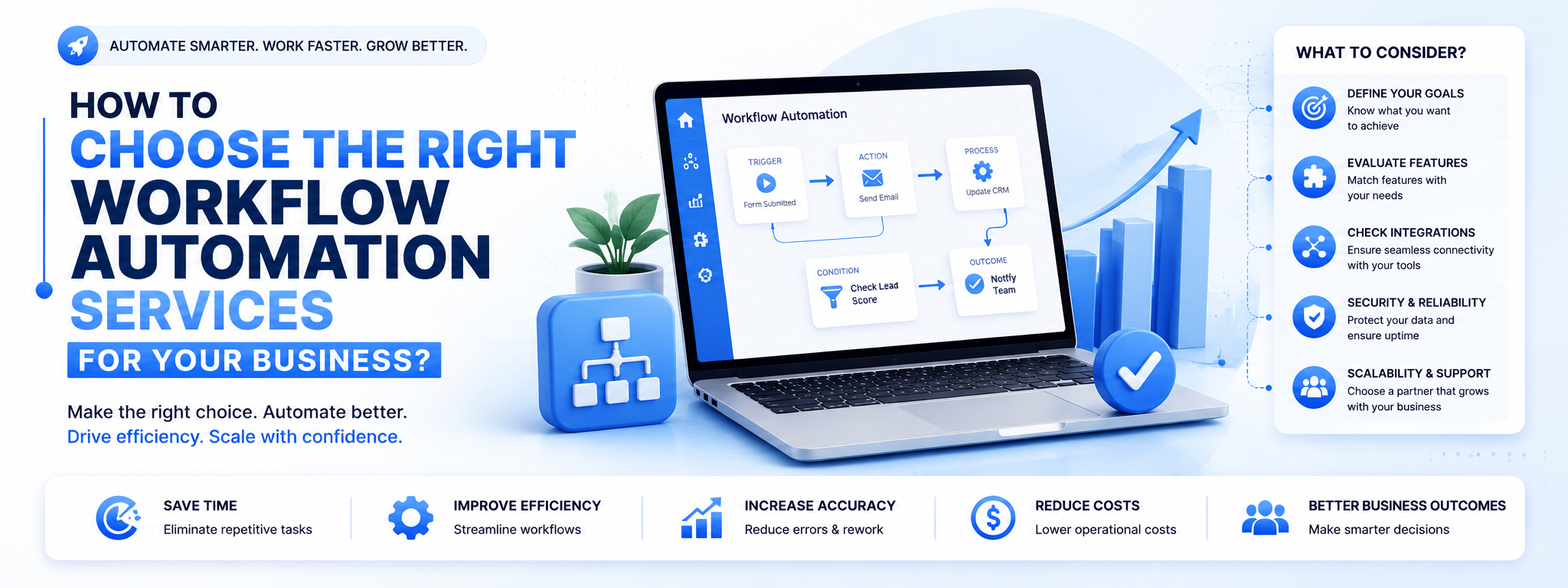
Not every provider delivers automation that lasts. These five checks separate a genuine workflow automation company from one that just installs a few tools and disappears.
Check Industry Experience - A workflow automation agency that has already solved similar problems in your industry will get you to a working system faster than one starting from a blank page.
Evaluate Technology and Integrations - Confirm the provider can work within your existing stack — CRM, ERP, marketing tools — rather than insisting you migrate everything to a new platform.
Compare Pricing and ROI - Cheaper isn't always better. Weigh quoted pricing against the time and revenue an automation solution for businesses is actually expected to save.
Check Support and Maintenance - Automated workflows need occasional tuning as your business changes. Confirm what ongoing support is included after go-live, not just at launch.
Key Features to Look for in an Automation Solution
- No-code or low-code workflow builders your team can adjust independently
- Native or API-based integrations with your CRM, email, and WhatsApp
- AI-based decision logic for lead scoring or prioritisation, not just static rules
- Clear reporting on what each workflow is actually doing
- Role-based access and audit trails for compliance-sensitive processes
Workflow Automation Tools and Integrations
Most workflow automation solutions are built on a combination of a CRM (commonly Zoho), a workflow/orchestration layer, and messaging channels like WhatsApp and email.
The right combination of workflow automation tools depends less on brand names and more on how well they integrate with what your team already uses daily — a powerful tool nobody adopts delivers zero ROI.
How Much Do Workflow Automation Services Cost?
Costs typically scale with the number of workflows, integrations, and channels involved. A single-department automation (say, lead-to-CRM) costs far less than a multi-department rollout spanning sales, support, and finance.
Most workflow automation companies price this as a monthly retainer plus a one-time setup fee, with enterprise-scale automation consulting engagements quoted as custom projects.
In-House vs Outsourced Workflow Automation
Building automation in-house gives you full control, but it also means carrying the hiring, tooling, and maintenance burden yourself. Outsourcing to a specialised agency trades some of that control for speed, broader expertise, and predictable costs.
| Comparison Point | In-House Automation | Outsourced (Agency) Automation |
|---|---|---|
| Setup Cost | High — tools, hiring, and training | Lower entry cost, typically retainer-based |
| Speed to Launch | Slower — hiring and learning curve | Faster — proven frameworks and workflows |
| Expertise Depth | Limited to your team’s skillset | Cross-industry and cross-tool expertise |
| Flexibility | Harder to scale up or down | Scales with retainer or project scope |
| Ongoing Maintenance | Falls on internal staff | Typically included as part of the engagement |
Common Workflow Automation Mistakes to Avoid
- Automating a broken process instead of fixing it first
- Choosing tools before mapping the actual workflow
- Ignoring team adoption and training during rollout
- Treating automation as a one-time project instead of an ongoing system
How to Measure Workflow Automation ROI
Track hours saved on manual tasks, reduction in response times, error rates before and after automation, and the resulting impact on conversion or retention. These numbers turn automated business processes from a line-item cost into a measurable growth driver.
Questions to Ask Before Hiring an Automation Provider
- Which processes will you audit before recommending a solution?
- What tools and integrations do you specialise in?
- How do you handle training and change management for our team?
- What does support look like after the workflows go live?
- Can you share a comparable project and its measured results?
Why Choose Evokast for Workflow Automation?
Evokast Digital Ventures is an AI-native AI Automation Agency, serving businesses across India with connected workflow automation solutions built on Zoho and modern AI infrastructure.
As a Zoho Authorized Partner with a 3.2× average lead conversion lift across 30+ clients, EvoKast treats automation as an ongoing system, not a one-time install — every engagement includes process mapping, workflow design, and continued optimisation. If you're also comparing dedicated AI systems for lead handling.
Final Thoughts
Choosing the right workflow automation services isn't about picking the flashiest tool — it's about finding a partner who understands your processes well enough to automate them correctly the first time.
With the right automation solutions for businesses, your team spends less time on repetitive tasks and more time on the work that actually grows the business.