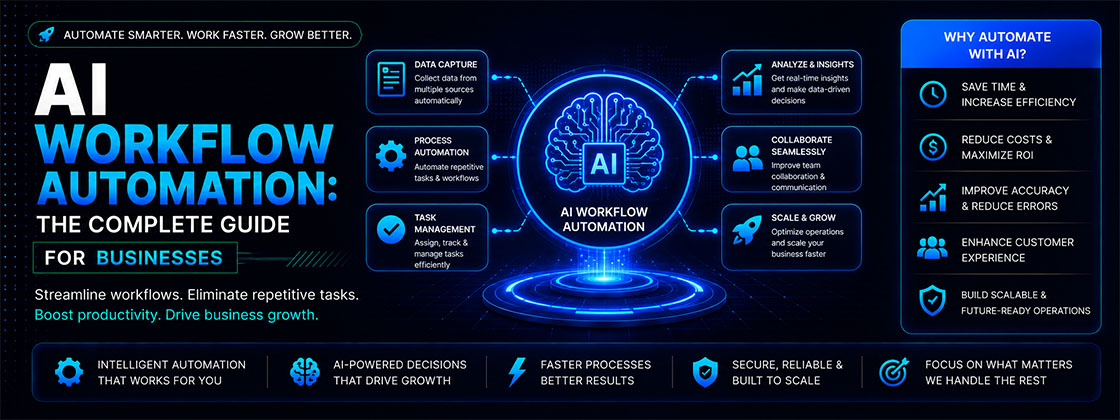
In today's fast-paced digital landscape, businesses are under constant pressure to improve efficiency, reduce operational costs, and deliver exceptional customer experiences. Managing repetitive tasks manually is no longer sustainable, especially as organizations handle increasing volumes of data, customer interactions, and internal processes. This is where AI workflow automation is transforming the way businesses operate.
Unlike traditional automation, which follows predefined rules, this intelligent approach combines artificial intelligence (AI), machine learning (ML), natural language processing (NLP), and intelligent decision-making to automate complex business workflows. It can analyze data, recognize patterns, make predictions, and continuously improve processes with minimal human intervention.
From marketing automation and customer support to HR, finance, sales, and operations, businesses across every industry are adopting AI-powered workflows to streamline operations and boost productivity. Whether you're a small business looking to save time or a large enterprise scaling operations, implementing AI workflow automation can help eliminate repetitive tasks, improve accuracy, and empower teams to focus on strategic work. Agencies such as Evokast Digital Ventures specialize in building these kinds of AI-native, CRM-connected workflows for growing businesses.
What Is AI Workflow Automation?
AI workflow automation is the process of using artificial intelligence technologies to automate business workflows, repetitive tasks, and decision-making processes with little or no human intervention.
Unlike traditional systems that rely solely on predefined rules, intelligent automation combines artificial intelligence with machine learning and workflow management to automate complex processes. This allows businesses to build smarter, more adaptive workflows that improve over time.
Why AI Workflow Automation Is Growing
The demand for this kind of intelligent automation has grown rapidly as businesses seek smarter ways to manage operations, improve customer experiences, and reduce costs. Organizations are no longer looking to automate only repetitive tasks—they want intelligent systems that can analyze information, make decisions, and continuously optimize workflows.
Increasing Demand for Operational Efficiency: Businesses today manage thousands of daily tasks, including customer inquiries, document approvals, sales follow-ups, invoicing, reporting, and employee onboarding. Performing these processes manually consumes valuable time and resources.
By implementing AI workflow automation, companies can automate repetitive processes while ensuring greater speed, consistency, and accuracy.
Rising Labor Costs: Hiring and managing large operational teams can be expensive. AI-powered automation allows businesses to reduce administrative workloads and allocate human resources to higher-value activities such as strategy, innovation, and customer relationship management.
Rather than replacing employees, AI enhances productivity by handling routine tasks that require little creativity or critical thinking.
Growth of Digital Transformation: Organizations worldwide are investing heavily in digital transformation initiatives. Cloud computing, AI technologies, and connected business applications have made intelligent automation more accessible than ever.
Modern AI workflow platforms integrate seamlessly with tools such as:
- CRM software
- ERP systems
- Marketing automation platforms
- Customer support software
- Collaboration tools
- Document management systems
This connectivity enables businesses to create fully automated workflows across departments.
Better Customer Expectations: Customers expect faster responses, personalized experiences, and 24/7 support.
AI-powered workflows help businesses meet these expectations by automating processes such as:
- Customer support
- Lead qualification
- Appointment scheduling
- Order tracking
- Personalized recommendations
- Email responses
As a result, businesses improve customer satisfaction while reducing response times.
Smarter Business Decisions: One of the biggest advantages of this technology is its ability to analyze large amounts of data in real time.
Instead of simply executing predefined actions, AI systems can:
- Detect unusual patterns
- Predict future outcomes
- Recommend the next best action
- Prioritize tasks
- Generate insights for decision-makers
These capabilities enable organizations to make faster, more informed business decisions.
Scalability Without Increasing Workload: As businesses grow, operational complexity increases. Manual workflows that work for a small team often become inefficient as customer demand rises.
Intelligent automation enables companies to scale operations without proportionally increasing staff or administrative overhead. Automated systems can process thousands of transactions, requests, or documents simultaneously while maintaining consistent quality.
Competitive Advantage: Companies that adopt AI workflow automation gain a significant competitive edge. They can launch products faster, respond to customers more quickly, reduce operational costs, and improve employee productivity.
In increasingly competitive markets, intelligent automation has become a strategic investment rather than a luxury.
How AI Workflow Automation Works
Understanding how AI workflow automation works helps businesses identify where it can deliver the greatest value. Although workflows vary across industries, most AI-powered automation follows a similar process.
Step 1: Data Collection
Every workflow begins with data. AI systems collect information from multiple sources, including:
- Customer forms
- Emails
- CRM platforms
- Databases
- Business applications
- Cloud storage
- Documents
- Chat conversations
- APIs
- IoT devices
The more accurate and organized the data, the better the AI system performs.
Step 2: Data Analysis
Once data is collected, artificial intelligence analyzes it using advanced algorithms. Depending on the workflow, AI can:
- Identify customer intent
- Recognize documents
- Extract important information
- Detect patterns
- Classify requests
- Analyze customer sentiment
- Predict outcomes
Unlike rule-based automation, AI can process both structured and unstructured data.
Step 3: Intelligent Decision-Making
After analyzing the information, AI determines the most appropriate action based on learned patterns, business rules, and predictive models. For example, an AI workflow may automatically:
- Approve low-risk invoices
- Route support tickets to the correct department
- Prioritize high-value sales leads
- Detect fraudulent transactions
- Recommend personalized offers
- Schedule follow-up emails
These intelligent decisions significantly reduce manual effort and improve operational speed.
Step 4: Automated Execution
Once a decision is made, the workflow automatically performs the required action. This may include:
- Sending emails
- Updating CRM records
- Creating support tickets
- Assigning tasks
- Processing payments
- Generating reports
- Scheduling meetings
- Triggering approval workflows
- Notifying employees
Because these actions occur automatically, businesses can complete workflows much faster while minimizing human error.
Step 5: Continuous Learning and Optimization
One of the defining features of these systems is their ability to improve over time.
Machine learning models continuously analyze new data and user interactions to refine predictions and enhance workflow performance. This ongoing optimization helps organizations achieve better accuracy, faster processing, and more effective decision-making as business needs evolve.
Modern workflow automation software integrates with CRM platforms, ERP systems, cloud applications, and collaboration tools to create seamless business processes. These integrations ensure that data flows automatically between systems without manual intervention.
Core Components of AI Workflow Automation
Successful intelligent automation relies on several technologies working together to automate business processes intelligently. Understanding these core components helps businesses choose the right automation platform and maximize its value.
Artificial Intelligence (AI) - Artificial intelligence is the foundation of AI workflow automation. It enables systems to simulate human intelligence by analyzing information, recognizing patterns, making decisions, and solving problems without constant human intervention.
For example, AI can automatically categorize customer support tickets, identify high-priority leads, or recommend the next best action in a sales pipeline.
Machine Learning (ML) - Machine learning allows AI systems to improve continuously by learning from historical data. Instead of relying solely on predefined rules, machine learning models become more accurate as they process additional information.
Businesses use machine learning for tasks such as:
- Predicting customer behavior
- Fraud detection
- Demand forecasting
- Sales forecasting
- Product recommendations
- Lead scoring
The more quality data available, the smarter the automation becomes.
Natural Language Processing (NLP) - Natural Language Processing (NLP) enables AI to understand, interpret, and generate human language.
It plays a critical role in:
- AI chatbots
- Virtual assistants
- Email classification
- Document analysis
- Customer sentiment analysis
- Language translation
For example, customer support software can automatically understand a customer's request and route it to the correct department without manual involvement.
Robotic Process Automation (RPA) - While AI focuses on intelligent decision-making, Robotic Process Automation (RPA) handles repetitive, rule-based tasks.
Examples include:
- Data entry
- Invoice processing
- Form filling
- File transfers
- Report generation
Many businesses combine AI-driven automation with RPA to create end-to-end intelligent business processes.
Workflow Engine - The workflow engine coordinates every step of the automation process.
- Task sequences
- Approval flows
- Business rules
- Notifications
- Integrations
- Escalation paths
Think of it as the central control system that ensures every workflow runs smoothly.
System Integrations - Modern businesses rely on multiple software applications. A powerful AI workflow automation platform should integrate with tools such as:
- CRM software
- ERP systems
- HR management software
- Accounting platforms
- Email marketing tools
- Cloud storage solutions
- Project management applications
Benefits of AI Workflow Automation
Organizations of every size are investing in this kind of intelligent automation because it delivers measurable improvements across productivity, efficiency, and customer satisfaction. Below are some of the most significant benefits.
Saves Valuable Time
Manual tasks such as entering data, approving requests, scheduling meetings, or processing invoices consume countless hours every week. AI automates these repetitive activities, allowing employees to focus on strategic initiatives that require creativity and critical thinking.
Increases Employee Productivity
Instead of spending hours on administrative work, teams can dedicate more time to innovation, customer relationships, and business growth.
This leads to:
- Faster project completion
- Better collaboration
- Higher employee satisfaction
- Improved operational performance
Reduces Human Errors
Manual workflows often result in mistakes caused by fatigue, oversight, or inconsistent processes. AI workflow automation follows predefined workflows while continuously learning from data, helping businesses improve accuracy in areas such as:
- Financial reporting
- Data entry
- Customer records
- Compliance documentation
- Inventory management
Lowers Operational Costs
Automating repetitive processes reduces labor-intensive work and minimizes costly errors.
Businesses often experience savings through:
- Reduced administrative overhead
- Faster processing times
- Lower error correction costs
- Improved resource allocation
Over time, these efficiencies contribute to a strong return on investment (ROI).
Improves Customer Experience
Modern customers expect fast, personalized, and consistent service.
AI-powered workflows can automatically:
- Respond to customer inquiries
- Route support tickets
- Recommend products
- Send appointment reminders
- Provide real-time order updates
These capabilities enhance customer satisfaction while reducing response times.
Supports Better Decision-Making
AI analyzes large datasets in real time and generates actionable insights.
Decision-makers can use these insights to:
- Forecast demand
- Identify risks
- Monitor performance
- Optimize marketing campaigns
- Improve operational efficiency
Rather than relying on intuition alone, businesses can make informed decisions based on data.
Beyond improving efficiency, AI-powered automation helps organizations respond faster to changing market conditions, optimize resource allocation, and create more agile business operations.
Scales With Business Growth
As organizations expand, manual processes often become bottlenecks. Automated, AI-powered workflows allow businesses to handle increasing workloads without proportionally increasing staff or operational costs. Whether processing hundreds or thousands of transactions daily, automation ensures consistent performance.
Strengthens Compliance and Security
Many industries operate under strict regulatory requirements. AI-powered workflows can:
- Maintain audit trails
- Monitor policy compliance
- Detect unusual activities
- Automate documentation
- Reduce compliance risks
This helps businesses maintain operational transparency while minimizing legal and financial risks.
AI Workflow Automation vs Traditional Automation
Although both approaches aim to improve efficiency, there are important differences between AI workflow and traditional automation.
| Feature | Traditional Automation | AI Workflow Automation |
|---|---|---|
| Decision-Making | Rule-based and follows predefined instructions | Intelligent, adaptive, and capable of making context-aware decisions |
| Learning Capability | No learning ability; requires manual updates | Learns from data and improves over time using AI and machine learning |
| Handles Unstructured Data | Limited to structured data | Processes both structured and unstructured data (emails, documents, images, etc.) |
| Flexibility | Low; works only within fixed rules | High; adapts to changing workflows and business needs |
| Continuous Improvement | No; performance remains static | Yes; continuously optimizes workflows based on new data |
| Predictive Analytics | Not supported | Supports forecasting, predictions, and intelligent recommendations |
| Human Intervention | Frequent manual intervention required | Minimal human involvement after setup and training |
| Scalability | Moderate; scaling often requires manual configuration | High; easily scales across teams, departments, and enterprise operations |
Which One Should You Choose?
Traditional automation works well for simple, repetitive tasks with fixed rules, such as automatically sending confirmation emails or generating routine reports.
However, businesses that deal with large volumes of data, changing customer behavior, or complex decision-making benefit far more from this intelligent approach. It adapts to new situations, improves over time, and supports intelligent business processes.
For many organizations, the ideal approach is a combination of traditional automation and AI, allowing routine tasks to be automated while AI handles more complex workflows.
How Different Departments Use AI Workflow Automation
While AI workflow automation benefits entire organizations, its impact becomes even more evident when applied to individual departments. From marketing and sales to HR and finance, AI-powered workflows help teams reduce repetitive work, improve collaboration, and make faster, data-driven decisions.
Marketing: Marketing teams manage multiple campaigns, customer segments, and communication channels simultaneously. AI workflow automation simplifies these processes while improving campaign performance.
Common marketing automation use cases include:
- Lead generation and qualification
- Email marketing automation
- Customer segmentation
- Social media scheduling
- Personalized content recommendations
- Campaign performance reporting
- SEO and keyword research assistance
Sales: Sales professionals spend significant time updating CRMs, following up with prospects, and managing pipelines. AI automates many of these repetitive tasks.
Popular sales workflows include:
- Lead scoring
- CRM updates
- Proposal generation
- Follow-up reminders
- Meeting scheduling
- Opportunity forecasting
- Sales reporting
This allows sales teams to spend more time building relationships and closing deals.
Human Resources (HR): HR departments handle recruitment, onboarding, payroll, and employee engagement. Intelligent automation reduces administrative workload while improving employee experiences.
Examples include:
- Resume screening
- Interview scheduling
- Employee onboarding
- Leave approvals
- Payroll processing
- Performance review reminders
- Training recommendations
These workflows improve hiring speed and operational efficiency.
Customer Support: Customer support teams receive hundreds or even thousands of requests daily. AI-powered workflows ensure customers receive faster, more consistent service.
Automation examples include:
- AI chatbots
- Ticket categorization
- Priority-based routing
- Automated responses
- Knowledge base recommendations
- Customer satisfaction surveys
As a result, businesses reduce response times while improving customer satisfaction.
Finance and Accounting: Finance teams benefit significantly from this kind of intelligent automation because many financial processes are repetitive and highly structured.
Common examples include:
- Invoice processing
- Payment approvals
- Expense management
- Financial reporting
- Fraud detection
- Budget forecasting
- Compliance monitoring
Automation minimizes manual errors while improving financial accuracy.
Operations: Operations teams rely on efficient workflows to keep business processes running smoothly.
AI-powered automation supports:
- Inventory management
- Procurement workflows
- Order processing
- Vendor approvals
- Warehouse management
- Performance dashboards
These workflows improve productivity while reducing operational bottlenecks.
Best AI Workflow Automation Tools
Choosing the right platform is essential for successful AI automation. The best solution depends on your business size, budget, existing software, and automation requirements.
If you're comparing software options, you may also find our guide to the best marketing automation platforms helpful. It covers leading solutions, their features, pricing, and ideal use cases, making it easier to choose the right platform for your business.
| Tool | Best For | Key Features |
|---|---|---|
| Zapier | Small businesses | No-code automation, AI integrations, 8,000+ app connections |
| Make (formerly Integromat) | Advanced workflows | Visual workflow builder, API integrations, customizable automation scenarios |
| Microsoft Power Automate | Microsoft ecosystem | AI Builder, cloud automation, enterprise integrations, Microsoft 365 connectivity |
| n8n | Developers & growing businesses | Open-source workflow automation, self-hosting, advanced customization |
| UiPath | Enterprise automation | Robotic Process Automation (RPA), AI-powered document processing, enterprise scalability |
| Workato | Large enterprises | Enterprise workflow automation, application integration, AI-powered orchestration |
| HubSpot | Marketing & sales teams | CRM automation, lead nurturing, AI-powered customer engagement |
| ClickUp | Project management | AI task automation, workflow management, team collaboration |
| Monday.com | Operations teams | Workflow automation, project tracking, AI assistants, team dashboards |
| Salesforce Agentforce | Enterprise sales | AI-powered CRM automation, predictive analytics, customer insights, autonomous AI agents |
Tips for Selecting the Right Tool
Consider the following before investing in an automation platform:
- Ease of use
- AI capabilities
- Integration options
- Security features
- Scalability
- Customer support
- Pricing model
- Customization options
Selecting software that aligns with your business objectives ensures long-term success.
How to Choose the Right Solution
Not every intelligent automation platform is suitable for every organization. Before making a decision, evaluate your business needs carefully.
If you're evaluating service providers, check out our list of the best AI automation companies to compare leading agencies, their expertise, and the industries they serve.
Identify Repetitive Processes
Begin by identifying tasks that consume significant time and are performed repeatedly. Examples include:
- Data entry
- Invoice approvals
- Customer support
- Lead management
- Employee onboarding
These processes typically offer the quickest return on investment.
Define Your Business Goals
Ask yourself: Do you want to reduce operational costs? Improve customer service? Increase productivity? Scale business operations? Improve compliance?
Clearly defined objectives help narrow your software options.
Evaluate Integration Capabilities
Your automation platform should connect seamlessly with existing business systems such as:
- CRM software
- ERP systems
- Accounting platforms
- Marketing tools
- Collaboration software
Strong integrations reduce manual work and improve data consistency.
Consider Future Growth
Choose a platform that can scale as your organization expands. A solution that works for ten employees should also support hundreds or thousands of users without requiring major changes.
Compare Pricing and ROI
Rather than focusing only on subscription costs, evaluate: Implementation expenses, training costs, maintenance requirements, productivity gains, and long-term ROI.
The right investment should deliver measurable business value.
Step-by-Step Implementation Guide
Successfully implementing AI workflow automation requires careful planning. Follow these proven steps to ensure a smooth transition.
Step 1: Identify Automation Opportunities
Document repetitive, time-consuming workflows across departments.
Step 2: Map Existing Workflows
Understand how current processes operate before introducing automation. Identify:
- Inputs
- Outputs
- Decision points
- Approval stages
- Potential bottlenecks
Step 3: Choose the Right AI Automation Platform
Select software based on: Business size, technical requirements, budget, integration needs, and scalability.
Step 4: Integrate Business Systems
Connect the automation platform with existing applications to create seamless workflows.
Step 5: Train Employees
Employee adoption is critical. Provide training sessions covering:
- Workflow management
- AI recommendations
- Security policies
- Best practices
Step 6: Test Before Launch
Run pilot programs using real business scenarios. Monitor:
- Workflow accuracy
- Processing speed
- Error rates
- User feedback
Adjust workflows before organization-wide deployment.
Step 7: Monitor and Optimize
These automated systems should evolve continuously. Regularly review:
- Performance metrics
- Customer feedback
- Operational efficiency
- Automation success rates
Continuous optimization ensures long-term value.
Common AI Workflow Automation Challenges
Although this kind of intelligent automation offers significant advantages, businesses may encounter implementation challenges.
Poor Data Quality - AI depends on accurate, well-organized data.
Solution: Clean and standardize your data before implementation.
Employee Resistance - Employees may worry that automation will replace jobs.
Solution: Position AI as a productivity tool that supports employees rather than replacing them.
Integration Complexity - Older software systems may not integrate easily.
Solution: Choose automation platforms with strong API support and integration capabilities.
Security and Privacy - Automated workflows often process sensitive business information.
Solution: Implement strong security controls, encryption, and role-based access permissions.
High Initial Investment - Enterprise automation projects can require significant upfront investment.
Solution: Begin with one high-impact workflow, measure results, and expand gradually.
Conclusion
AI workflow automation is no longer just a competitive advantage—it has become a strategic necessity for businesses looking to improve efficiency, reduce costs, and scale operations in an increasingly digital world. By combining artificial intelligence, machine learning, and intelligent workflow management, organizations can automate repetitive tasks, streamline complex processes, and make faster, data-driven decisions.
Whether you're in marketing, sales, HR, finance, healthcare, manufacturing, or customer support, AI-powered workflows can help your teams work smarter while delivering better experiences for customers and employees alike.
The key to success is to start with clear business goals, identify high-impact processes, choose the right automation agency, and continuously monitor performance. As AI technology continues to evolve, businesses that embrace AI workflow automation today will be better positioned to innovate, adapt, and grow in the years ahead.
If you're planning to implement AI-powered automation, begin with a single workflow, measure the results, and gradually expand across departments. With the right strategy and tools, AI workflow automation can transform the way your business operates and unlock long-term productivity and growth.