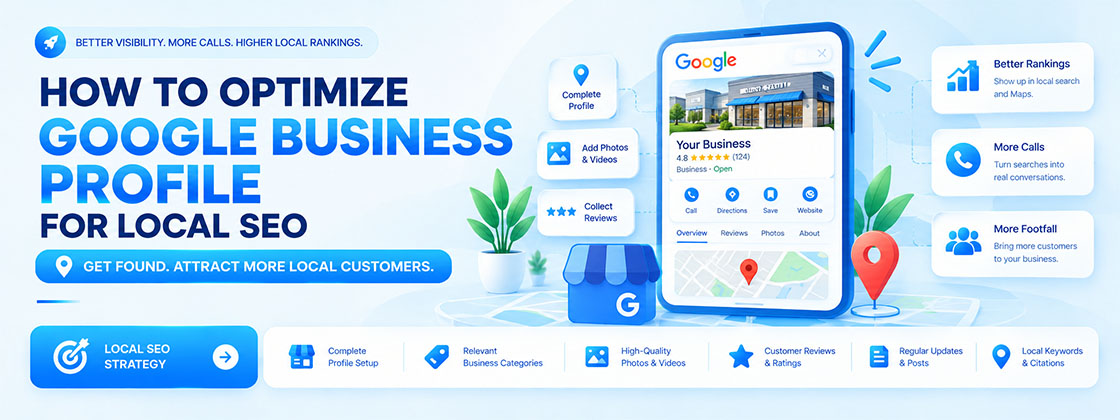
To optimize your Google Business Profile for local SEO, claim and verify your profile, choose accurate categories, complete every relevant detail, earn genuine reviews, keep your information consistent across the web, and track results.
Google says local results are based primarily on relevance, distance, and prominence, and there is no way to pay for a better local ranking.
This guide walks through each step in plain English. It separates what Google officially says from general local SEO practice, so you can improve your local search visibility without shortcuts that put your profile at risk.
What Is Google Business Profile and Why Does It Matter for Local SEO?
What Is Google Business Profile?
Google Business Profile is a free tool for managing how your business appears on Google Search and Google Maps. You can update your address, hours, services, photos, and posts, and reply to customer reviews.
How Google Business Profile Helps Local Businesses Get Discovered
When someone searches for a nearby service, Google may show a local pack: a short list of businesses with ratings, directions, and call buttons. A complete profile gives you a chance to appear there, and lets customers act before they ever open your website.
Google Business Profile vs. Google My Business
Google My Business is the former name of the same product. Many people still search using the old name, so you will see both terms used online.
How to Set Up and Verify Your Google Business Profile
- Claim or create. Search for your business first to avoid duplicates. If it exists, request to manage it. If not, create a new profile.
- Use your real business name. Match your signage, website, and invoices. Do not add keywords or locations unless they are part of your genuine name.
- Select the right category. Pick the one that best describes what your business is, not every service you offer.
- Add an address or service area. If customers visit you, show your address. If you travel to customers, you may hide your address and list the areas you serve. Never use a fake address or virtual office.
- Complete verification. Methods vary by business and location, and not every option is available to everyone. Follow the choices Google shows you.
How to Optimize Your Business Information for Local Search
- Categories: Choose one accurate primary category, then add secondary categories only if they truly apply.
- Description: Write a clear, honest summary of what you offer and who you serve. Skip promotions, links, and keyword lists. Treat it as a clarity tool, not a ranking lever.
- Hours, contact details, and attributes: Keep opening hours (including holidays) and your phone number current, and add attributes that genuinely apply, such as wheelchair access.
- Consistency: Your business name, address, and phone number should match across your website, directories, and social pages.
How to Add Services, Products, Photos, and Business Updates
- Services and products: List what you actually offer in plain language. A clinic can list each treatment; a restaurant can link its menu.
- Photos and videos: Upload real images of your exterior, interior, team, and work. Authentic visuals help customers decide faster than stock images.
- Posts: Share offers, events, and news. Posts keep your profile useful, but they are not a guaranteed ranking boost.
- Links: Add your website, appointment, or booking links where available.
How to Improve Google Maps Rankings With Local SEO
Google's official guidance names three main factors:
Factor | What Google says | What you can do |
|---|---|---|
| Relevance | How well your profile matches the search | Provide complete, detailed information with accurate categories and services |
| Distance | How far you are from the location in the search, or from the searcher | Keep your address accurate; you cannot change where customers are |
| Prominence | How well known your business is, based on reviews, links, articles, and directories | Earn genuine reviews and relevant local mentions |
How to Get More Google Reviews and Manage Your Reputation
- Ask genuine customers - Share your review link after a completed job or visit, in person, by email, or by message.
- Respond to everyone - Thank happy customers. For negative reviews, stay calm, acknowledge the issue, and offer to resolve it offline without sharing private details.
- Report fake or inappropriate reviews - Flag them through your profile and let Google assess them.
- Avoid - fake reviews, paying or rewarding people for reviews, review gating (asking only happy customers), and reviewing your own business.
Google states that review count and score can influence local ranking, which is why honest, steady review collection matters.
How to Optimize Google Business Profile for Different Business Types
Business type | Priorities |
| Local service business | Accurate service list, service areas, and responsiveness to calls |
| Shops, restaurants, and clinics | Correct hours, photos, menus or treatments, and booking links |
| Service-area business | Hidden address where eligible, clearly defined areas served |
| Multiple locations | A separate, accurate profile for each real location, each with a local phone number and its own website page |
How to Optimize Your Website to Support Google Business Profile SEO
- Location-specific landing pages: Create a page for each location or key service area with unique details such as address, hours, services, and local questions.
Avoid thin, copy-pasted pages. For a real-world example of location-focused content, see these local SEO strategies for businesses. - Consistent details: Your website should show the same name, address, and phone number as your profile.
- LocalBusiness structured data: It helps search engines understand your business details, but it does not guarantee higher Maps rankings.
- Local links and citations: Earn mentions from relevant local directories, partners, and publications. Quality matters more than volume.
- A solid website: Fast, mobile-friendly pages convert profile visitors, and EvoKast's Brand & Web services cover this side.
How to Track Google Business Profile Performance
- Business Profile performance: Review how people found your profile and what they did, such as calls, website clicks, and direction requests, where available.
- Google Analytics 4 and Search Console: Use these to measure website sessions, conversions, queries, and pages. Adding UTM parameters to your profile's website link can help separate profile traffic in GA4 (a general best practice, not an official requirement).
- Keep sources separate: Profile data and website data come from different systems, so do not expect the numbers to match.
- Act on it monthly: Few calls? Check hours, categories, and the primary phone number. Few direction requests? Improve photos and address accuracy.
Common Google Business Profile Problems and How to Fix Them
Why Is Your Business Not Showing on Google Maps?
Check that your profile is verified, eligible, not suspended, and has the correct category, address, and hours. New profiles can take time, and results change depending on where the searcher is.
How to Fix a Suspended or Disabled Business Profile
- Read the notice and review Google's guidelines to find the likely cause, such as an ineligible address or a misleading business name.
- Correct the issue.
- Submit a reinstatement request through Google. Do not create a new profile to get around a suspension.
How to Request Ownership of an Existing Profile
Find your business on Google, choose the option to claim or manage it, and complete verification. If someone else already manages it, Google may let you request ownership.
How to Resolve Duplicate Listings and Incorrect Business Information
Search for your name, old addresses, and phone numbers to find duplicates. Report duplicates to Google, and correct wrong details through your profile or by suggesting an edit.
Google Business Profile Optimization Checklist
Essential Setup and Verification Checks
- Profile claimed or created with no duplicates
- Real business name used
- Address or service area set correctly
- Verification completed
Profile Optimization and Review Management Checks
- Accurate primary and secondary categories
- Hours, phone, and attributes current
- Services, products, and real photos added
- Review request routine in place and all reviews answered
Website, Tracking, and Ongoing Maintenance Checks
- Location pages and matching NAP details on the website
- LocalBusiness structured data tested
- GA4 and Search Console connected
- Profile reviewed monthly